How to Build a Filter Register for a School Campus With Multiple Buildings
Managing air filters across a school campus is much easier when every unit is recorded in one clear register. On a site with multiple blocks, classroom wings, plant rooms and different air handling systems, a simple naming system helps facility teams find the right filter quickly and keep service records organised.
A good filter register does not need to be complicated. It just needs to show where each filter sits, what type it is, and what equipment it belongs to so maintenance decisions can be made with less guesswork.
Start with a campus map and a clear naming system
Before you enter filter details, list every building and space that has mechanical ventilation or air conditioning equipment. For a school, that usually means classrooms, administration areas, libraries, halls, learning centres, gyms, food areas and plant rooms.
Use a naming structure that makes sense to the people who will actually use it. A practical format is:
- •Block or building name
- •Level or floor, if relevant
- •Wing or zone
- •Plant room or rooftop unit reference
- •Equipment type
For example, instead of recording a filter as simply “primary school”, identify it as “Block A, classroom wing, AHU 2” or “Administration building, east wing, rooftop unit 1”. That level of detail helps when a technician is on site and needs to match the register to the equipment.
If your campus already has asset tags or room codes, align the filter register with those codes. Consistency matters more than the software you use.
Record the filter details that matter
Once the locations are set, build each register entry around the filter and the equipment it serves. The aim is to make it easy to identify the correct replacement and understand the service context.
Include fields such as:
- •Site name
- •Building, block or wing
- •Room or area served
- •Equipment tag or unit number
- •Filter type and size
- •Quantity of filters in the set
- •Orientation or fitment notes
- •Access notes, such as ceiling access, roof access or confined plant room
- •Last inspection date
- •Last replacement date
- •Pressure drop reading, if gauges are fitted
- •Notes on visible dust load, damage or odour issues
- •Purchase or service reference numbers
If you use custom air filters, note the exact dimensions and any non-standard frames or clips. If you are unsure how to capture the dimensions accurately, our guide on how to measure an air filter can help.
Separate the campus by plant type
Different plant types often need different filter records, even when they are on the same campus. Grouping entries by equipment type makes the register easier to search and maintain.
Useful categories may include:
- •Rooftop packaged units
- •Air handling units
- •Split systems with return air filtration
- •Exhaust or make-up air units
- •Ventilation systems serving food areas or workshops
- •HEPA filtration stages, where fitted
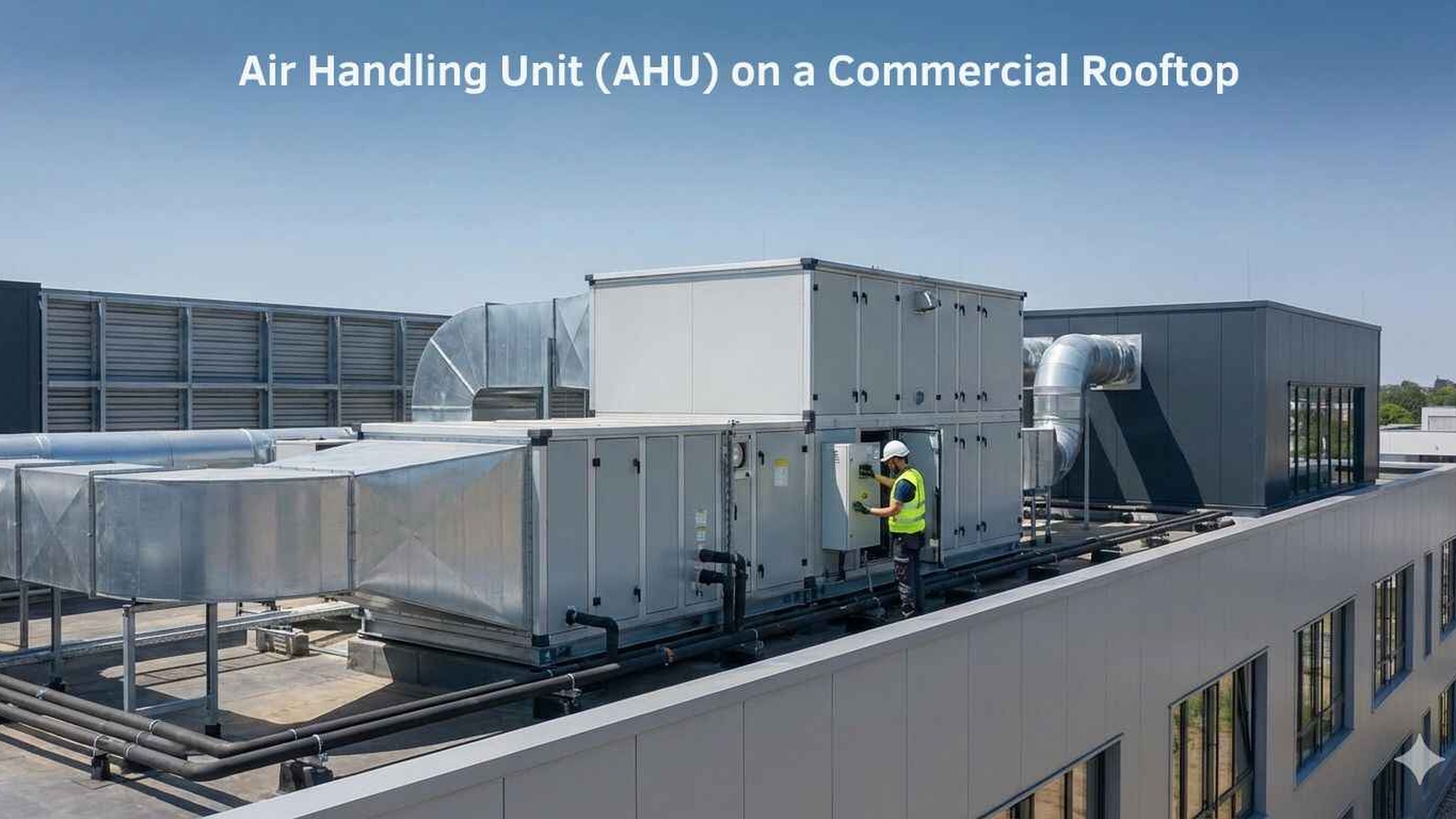
This matters because the filter arrangement, access method and replacement requirements can vary widely between plant types. A rooftop unit may use a different panel or bag filter arrangement from a library air handling unit or a workshop exhaust system.
Organise the register by block, wing and service route
A school campus is usually serviced in stages, not as one single building. Organising the register by block and wing helps you plan site visits and reduces the chance of missing equipment hidden in back-of-house areas.
A useful workflow is to group the register in this order:
- •Block or building
- •Floor or level
- •Wing or zone
- •Plant room or access point
- •Equipment tag
- •Filter record
This makes it easier for contractors and in-house teams to work through the campus in a logical sequence. It also helps when a building is used differently across the week, such as performance spaces, science areas or after-hours community facilities.
If your school has multiple campuses, keep each campus separate but use the same field structure. That way, the register stays familiar even when staff move between sites.
Add notes for access and safety
The best register is one that helps people reach the filter safely and efficiently. Include practical notes such as:
- •Roof access requirements
- •Lockable plant room details
- •Ladder or EWP access needs
- •Ceiling tile access points
- •After-hours access restrictions
- •Any nearby services or hazards
These notes are especially useful on larger campuses where filters may be installed above ceilings, inside locked rooms or on rooftops away from the main building entry.
Track condition, not just dates
Filter servicing should be based on the system, site conditions and dust load rather than a fixed calendar rule. The register should help you record what you see at each inspection, not just when the last visit occurred.
Make space for notes on:
- •Visible dust build-up
- •Damaged frames or media
- •Loose seals or bypass risk
- •Unusual odour
- •Reduced airflow symptoms reported by building users
- •Pressure drop trends where gauges are fitted
Follow the filter and equipment manufacturer instructions, and refer to pressure drop readings where the system is fitted with gauges or monitoring equipment. On school sites with construction work, nearby road dust, tree debris or heavy seasonal use, the inspection frequency may need to be adjusted.
If you are managing systems to AS 1668.2:2024 ventilation requirements, confirm site-specific arrangements with the mechanical services engineer or building owner before making changes to the filter setup or servicing approach.
Keep notes on filter type and rating systems
Schools often have a mix of filter ratings across different plant. Record the rating exactly as it appears on the product or equipment documentation.
It is best not to treat rating systems as interchangeable. MERV, EN 779 and ISO 16890 do not convert directly, so the register should preserve the original rating information rather than trying to force a conversion.
If HEPA filters are used in any part of the campus, record the class precisely. H13 filters are at least 99.95% efficient at the most penetrating particle size under EN 1822, and H14 filters are at least 99.995% efficient at MPPS under EN 1822.
Make the register useful for purchasing and stock control
A filter register is not just a maintenance file. It can also support procurement, stockholding and service planning.
When the register is detailed enough, it becomes easier to:
- •Match replacement filters to the correct equipment
- •Spot repeat issues with the same unit or area
- •Keep a small stock of the most commonly used sizes
- •Plan site visits around access windows and school holidays
- •Identify when a custom filter is needed rather than an off-the-shelf size
Some filters are designed to be washable, but you should check the product instructions before assuming a filter can be cleaned and returned to service. Do not rely on appearance alone.
For larger sites, it can also help to separate the register into active and archived records. Keep the current filter list easy to search, and move decommissioned units into an archived section rather than deleting them. That creates a clearer service history if plant is replaced or buildings are repurposed.
Build a simple register format your team will actually use
The most effective register is the one that gets updated consistently. Whether you use a spreadsheet, facilities software or a shared document, keep the format simple enough that contractors, caretakers and facilities staff can all understand it.
A practical campus register should let you:
- •Find every filter by building and wing
- •See what type of plant it serves
- •Check the last inspection and replacement notes
- •Identify the correct replacement size and rating
- •Spot access or service issues before the next visit
If your school is still deciding how to structure the register, start small. Build the record for one building first, then copy the format across the rest of the campus. That approach makes it easier to standardise naming and avoids rework later.
Need help matching the right filters to your campus?
Total Air Filtration is a family-owned air filter manufacturer and supplier based in Hillcrest, Brisbane QLD. We can help supply standard sizes or make the right filters for your site, and we also support schools and facilities teams with practical servicing advice.
If you would like help building a register, matching filter sizes or planning a service approach for multiple buildings, call 07 3800 3448 or request a quote. You can also view our products or filter servicing for more information.
Written by
The Total Air Filtration Team
General information only — always follow the instructions for your filter and system. Have questions about this article? We're here to help.